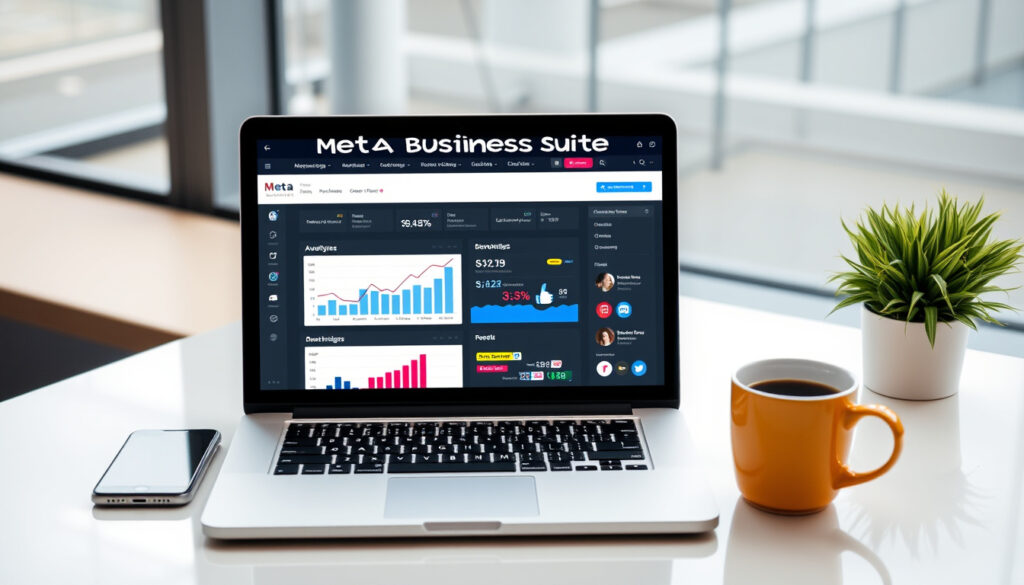
Meta Business: What It Is, Cost, and How to Get Started
Meta Business Suite promises to end the pain of jumping between Facebook and Instagram apps by pulling everything into one dashboard. This guide breaks down what it actually does, what it costs, and whether it’s worth your time in 2025.
Former name: Facebook for Business · Platforms covered: Facebook, Instagram, Messenger · Pricing model: Free base account; paid ads and optional services · Rebranded: 2021 · Key tool: Meta Business Suite
Quick snapshot
- Meta Business Suite is free to use for basic features (Your Marketing People (marketing consultancy))
- Meta Business requires a personal Facebook account (Kode Digital (digital agency))
- Meta Business is the rebranded successor of Facebook for Business (Meta official documentation) (Your Marketing People (marketing consultancy))
- Whether Meta will introduce a premium paid tier for Business Suite in the future
- Exact breakdown of transaction fees for Facebook Shops (varies by country and payment processor)
- 2007 — Facebook launches Pages for businesses
- 2021 — Facebook rebrands to Meta; Facebook for Business becomes Meta for Business
- Continued updates to Business Suite and Manager through 2025
- Potential expansion of paid features beyond advertising
| Attribute | Value |
|---|---|
| Platform type | Business management suite for Meta platforms |
| Former name | Facebook for Business |
| Launch year (rebrand) | 2021 |
| Free tier | Yes, with paid advertising options |
| Supported apps | Facebook, Instagram, Messenger |
What does Meta Business do?
Core functions of Meta Business Suite
- Post scheduling and publishing across Facebook and Instagram from one interface (Your Marketing People (marketing consultancy))
- Unified inbox for messages and comments across both platforms
- Ad management and performance insights through the same dashboard
Meta Business Suite is the central command center for anyone running a business presence on Meta’s apps. It bundles tools that used to live in separate tabs — scheduling, messaging, analytics, and ad management — into a single web and mobile app. The platform’s official description positions it as a time-saver: “Our business tools can help you save time by accessing everything you need to manage your business across Facebook, Instagram and Messenger all in one place” (Meta official documentation (Meta’s business portal)).
Integrating Facebook, Instagram, and Messenger
- Business Suite links a Facebook Page and Instagram business account under one login
- Messenger is integrated directly into the inbox, so customer messages from both platforms appear in one feed
The integration is the platform’s biggest selling point. Instead of toggling between the Facebook app, Instagram app, and Messenger, a business owner can reply to a customer who messaged on Instagram and then schedule a post for Facebook — all without leaving Business Suite. The Apple App Store description calls it a tool to “grow your business and connect with more people” (Apple App Store (app marketplace listing)).
Overview of Meta Business Manager
- Business Manager is the backend account structure that holds Pages, ad accounts, and team permissions
- It is separate from the Suite interface but required to use advanced features
If Business Suite is the dashboard, Business Manager is the engine room. It is the account layer where you add ad accounts, assign roles to team members, and manage payment methods. You need to set up Business Manager before you can use Business Suite effectively — and it is free to create (Kode Digital (digital agency)).
The implication: a small business can access the full range of Meta’s business tools without spending a cent, as long as it doesn’t run ads.
Is Meta Business the same as Facebook?
Difference between Meta Business and a personal Facebook account
- Meta Business is a set of business tools, not a separate social network
- A personal Facebook account is required to create a Meta Business account (Kode Digital (digital agency))
This is the most common point of confusion. Meta Business is not a new social media platform — it is the business-facing brand of Meta’s existing tools. Your personal Facebook profile stays exactly as it is. The business account is an overlay that lets you manage commercial assets (Pages, ad accounts, catalogs) without mixing them into your personal feed.
Relation to Facebook Pages and Ad accounts
- Each Facebook Page and ad account is linked to a Business Manager account
- You can have multiple Pages and ad accounts under one Business Manager
Every Facebook Page you manage — whether for a coffee shop, a consultancy, or a nonprofit — lives inside Business Manager. The same goes for ad accounts. This structure allows you to grant access to employees or agencies without sharing your personal password. The setup flow includes adding a Facebook Page from Business Settings under Pages, and adding ad accounts from Business Settings under Ad Accounts (Kode Digital (digital agency)).
Rebranding from Facebook for Business to Meta for Business
- The name changed in 2021 when Facebook rebranded to Meta
- No core functionality changed — it was a name and brand update only
When Facebook became Meta in October 2021, Facebook for Business became Meta for Business. The URL shifted from facebook.com/business to business.facebook.com (still active). The tools themselves — Business Suite, Business Manager, Ads Manager — kept their names and functions. The rebrand caused some confusion, but functionally nothing changed.
The catch: the rebrand may confuse customers, but the underlying tools remain identical to what was available before.
Is Meta for business free?
Free features of Meta Business Suite
- Creating a Meta Business account and using basic Suite tools is free (SMB Toolset (small business tool directory))
- Post scheduling, inbox management, and basic insights are included at no cost
- Meta Ads Manager is also free to access — you only pay for ad delivery (AdLibrary (advertising data platform))
A 2025 guide lists Meta Business Suite’s starting price at $0 (SMB Toolset (small business tool directory)). A 2026 review confirms it is free for any Facebook Page and connected Instagram account, and notes that Meta Business Suite has no paid tier (Best Social Media Scheduler (review platform)). The free tools cover the essentials for most small businesses: scheduling posts up to 30 days in advance, managing comments and messages in one inbox, and viewing page-level analytics.
A small business with a $0 marketing budget can still set up a full business presence on Facebook and Instagram using the free Suite. The only catch is that ad delivery — showing your posts to people who don’t follow you — costs money. But the management tools themselves are genuinely free.
Costs for advertising and optional services
- Advertising on Facebook and Instagram uses an auction model — you set a budget and bid per click or impression
- Meta charges no monthly subscription fee or platform access fee for Ads Manager (AdLibrary (advertising data platform))
- Some agencies charge one-off setup fees for Meta business account creation even though Meta itself does not (Pulse Digital Agency (Australian agency))
Meta earns revenue through the ad auction, not platform access fees (AdLibrary (advertising data platform)). You set a daily or lifetime budget, and Meta’s system optimizes delivery within that spend. One Australian agency page lists a $50 one-off fee for Meta Business Account Creation for new accounts, but charges nothing for existing accounts (Pulse Digital Agency (Australian agency)). This is a third-party service fee, not a Meta charge.
Pricing for Meta Business Manager and Commerce Manager
- Business Manager is free to create and use
- Commerce Manager (for Facebook Shops) is free, but transaction fees vary by payment processor and country
A 2026 article states that Meta Ads Manager and Meta Business Suite have no setup fees, subscription fees, or seat costs (AdLibrary (advertising data platform)). The same article says the native Ads Manager interface remains free regardless of spend volume, and includes campaign creation, audience management, A/B testing, and basic reporting (AdLibrary (advertising data platform)). Some third-party publishers describe a “Meta Business Standard” at $14.99 monthly or $11.99 monthly billed annually, which adds support and verification-related features — but this is not an official Meta product (Graphed (digital marketing publisher)).
Do I need Meta business?
Who benefits from Meta Business tools
- Businesses that run ads on Facebook or Instagram
- Anyone managing multiple Pages or collaborating with a team
- Businesses that want to sell through Facebook Shops or Instagram Shopping
If you are posting content for a brand, running ads, or managing customer inquiries on Facebook and Instagram, you need Meta Business. The tools are designed for exactly these scenarios: ad management, team collaboration, and unified messaging. A single-person operation posting once a week to a personal Page may not need it, but as soon as you add ad spend, team members, or a second platform, the Suite becomes necessary.
Scenarios where a personal Facebook account is sufficient
- Individuals using Facebook only for personal posts
- Solo entrepreneurs with a single Page and no ad plans
If you run a small Facebook Page for a hobby or side project and never plan to run ads, you can manage everything from your personal account. You will miss out on scheduling tools and unified inbox features, but you can still post, reply, and see basic insights. The line is crossed when you need to hand off management to someone else, run ads, or manage an Instagram presence alongside Facebook.
Pros and cons of using Meta for business
Upsides
- Official tool with deep integration across Meta platforms
- Free baseline — no subscription needed for core features
- Unified inbox for Facebook, Instagram, and Messenger
- Built-in scheduling and basic analytics
Downsides
- Requires a personal Facebook account to create a business account
- Learning curve for Business Manager setup
- Ad costs can add up quickly without a clear strategy
- Limited advanced features compared to third-party tools like Hootsuite or Buffer
Is Meta Business Suite still worth using in 2025?
Updated features and improvements in 2025
- Enhanced scheduling with up to 30 days of advance planning
- Improved cross-posting between Facebook and Instagram
- Reels scheduling and performance insights added
Meta Business Suite has received steady updates since its 2021 rebrand. The scheduling tool now supports Reels, the inbox handles more message types, and insights have become more granular. Frequent updates have improved scheduling, insights, and messaging capabilities, making it a more competitive tool than it was at launch.
Comparison with competing social media management tools
Here is how Meta Business Suite stacks up against two popular alternatives.
| Feature | Meta Business Suite | Hootsuite | Buffer |
|---|---|---|---|
| Free tier | Yes (full basic features) | Limited (30-day trial) | Limited (3 channels) |
| Monthly cost (paid) | $0 (no paid tier) | From $99/month | From $6/month |
| Platforms supported | Facebook, Instagram, Messenger | 10+ platforms | 8 platforms |
| Unified inbox | Yes (Meta apps only) | Yes (multi-platform) | No |
| Ad management | Built-in | Integration required | Not available |
The trade-off is clear: Meta Business Suite is free and deeply integrated with Meta’s own platforms, but it only works within Meta’s ecosystem. Third-party tools like Hootsuite and Buffer offer broader platform support and more advanced analytics, but they cost money and require separate ad platform access. For businesses focused exclusively on Facebook and Instagram, the free Suite is hard to beat.
User feedback and common complaints
- Common complaints include occasional bugs after updates and limited advanced analytics
- Users report that the mobile app can be slower than the desktop version
- Positive feedback centers on the unified inbox and free scheduling
User reviews on platforms like the Apple App Store and Best Social Media Scheduler highlight a split: small businesses love the free tools, while power users find the lack of advanced features frustrating. The most frequent complaints are about the mobile app’s performance and the occasional glitch after a new update.
If you need to manage TikTok, LinkedIn, Twitter, or Pinterest alongside Facebook and Instagram, Meta Business Suite will not cover those. You will need a third-party tool or a separate workflow for each platform — which adds cost and complexity.
The implication: for multi-platform businesses, the free Suite becomes a partial solution that still requires additional tools.
How do I get started with Meta for business?
Step-by-step setup of Meta Business Suite
- Create or log into your personal Facebook account
- Visit business.facebook.com and click “Create Account”
- Enter your business name, your name, and your business email
- Verify your email address through the Meta verification email sent to that inbox (Kode Digital (digital agency))
- Add your Facebook Page from Business Settings under Pages
- Add or create an ad account from Business Settings under Ad Accounts
- Add people and grant them access to manage Pages and ad accounts (Kode Digital (digital agency))
The setup takes about 15 minutes if you already have a Facebook Page. The most important step is verifying your email — without it, you cannot proceed. Kode Digital’s guide emphasizes that the setup flow includes adding people and granting them access to manage Pages and ad accounts (Kode Digital (digital agency)).
Creating a Meta Business Manager account
- Business Manager is created during the same flow as Business Suite
- You will be prompted to name your business and add payment methods
Business Manager is the account structure that holds everything. During setup, you name your business, add your business details, and optionally add a payment method for ads. You can skip the payment step and add it later when you are ready to run ads.
Connecting Instagram and setting up ad accounts
- Go to Business Settings, click Instagram accounts, and log in to link your Instagram business account
- Ad accounts can be created from Business Settings under Ad Accounts
Linking Instagram is a separate step from the initial setup. In Business Settings, you click “Instagram accounts” and follow the login flow. Once linked, your Instagram appears in the same inbox and scheduling interface as your Facebook Page. Ad accounts can be created at any time — you do not need one to use the free scheduling and inbox features.
The entire setup process is free and takes roughly 15 minutes. The only prerequisite is a personal Facebook account. Once your Business Manager is active, you can start scheduling posts, managing messages, and — if you choose — running ads.
Timeline: The evolution of Meta Business
- 2007 — Facebook launches Pages for businesses, giving brands a dedicated presence on the platform
- 2014 — Facebook for Business is introduced as a dedicated portal for business tools and resources
- 2021 — Facebook rebrands to Meta; Facebook for Business becomes Meta for Business, and the suite of tools is unified under the new brand
- 2022–2025 — Meta Business Suite and Manager receive ongoing updates, including enhanced messaging, Reels scheduling, and cross-posting improvements
The timeline shows a clear trajectory: what started as simple business Pages in 2007 has evolved into a full-fledged business management platform. The 2021 rebrand was cosmetic in terms of functionality, but it signaled Meta’s broader shift toward the metaverse and unified business tools.
What we know and what remains unclear
- Confirmed: Meta Business Suite is free to use for basic features — no subscription, no setup fee, no seat cost (Your Marketing People (marketing consultancy)).
- Confirmed: Meta Business requires a personal Facebook account to create a business account (Kode Digital (digital agency)).
- Confirmed: Meta Business is the rebranded successor of Facebook for Business, launched in 2021 (Meta official documentation).
- Unclear: Whether Meta will introduce a premium paid tier for Business Suite in the future.
- Unclear: Exact breakdown of transaction fees for Facebook Shops (varies by country and payment processor).
Expert perspectives on Meta Business
Our business tools can help you save time by accessing everything you need to manage your business across Facebook, Instagram and Messenger all in one place.
— Meta official documentation (Meta’s business portal (Meta’s official business resource))
Grow your business and connect with more people with Meta Business Suite.
— Apple App Store description (Apple App Store (app marketplace listing))
Both sources emphasize the same core value: consolidation. Meta promises time savings by bringing everything under one roof, while the App Store highlights growth and connection. The message is consistent even if the execution has room for improvement.
Summary
Meta Business Suite delivers on its core promise: a free, unified dashboard for managing Facebook and Instagram business presences. The catch is that it only works within Meta’s ecosystem, and the personal-account requirement is a genuine barrier for some. For the small business owner whose customers live on Facebook and Instagram, the free Suite is the smartest place to start — no subscription, no hidden fees, just the tools you need to schedule, message, and measure. A business owner will find the free Suite sufficient until they need to manage platforms beyond Meta, at which point a third-party tool becomes necessary.
adlibrary.com, youtube.com, youtube.com, adstellar.ai, adlibrary.com
Frequently asked questions
Can I use Meta Business without a personal Facebook account?
No. A personal Facebook account is required to create a Meta Business account and access Business Manager or Business Suite (Kode Digital (digital agency)).
How do I link my Instagram account to Meta Business Suite?
Go to Business Settings, click Instagram accounts, and log in with your Instagram credentials. The account must be a business or creator account, not a personal profile.
Is Meta Business Suite available on mobile?
Yes. The Meta Business Suite app is available for iOS and Android. It includes scheduling, inbox, and basic insights, though some users report it is slower than the desktop version.
Can I schedule posts with Meta Business Suite?
Yes. You can schedule posts for Facebook and Instagram up to 30 days in advance. The tool supports photos, videos, Reels, and Stories scheduling.
How do I delete my Meta Business account?
Go to Business Settings, navigate to Business Info, and select “Deactivate Business Account.” Note that this will remove access to all associated Pages, ad accounts, and assets.
Does Meta Business charge any fees for transactions?
Meta itself does not charge transaction fees for Business Suite or Manager. Facebook Shops transaction fees vary by payment processor and country; Meta’s fee structure depends on the specific commerce features used.
What is the difference between Meta Business Suite and Meta Business Manager?
Business Manager is the account structure that holds your Pages, ad accounts, and team permissions. Business Suite is the user interface where you schedule posts, manage messages, and view insights. You need Business Manager to use Business Suite.
How do I add team members to my Meta Business account?
In Business Settings, go to People and click Add. Enter the person’s email address and assign their role (admin, employee, or analyst). They will receive an invitation to join your Business Manager (Kode Digital (digital agency)).
More related posts
 Hilarie Burton: Age, Kids, Husband, and Why She Went Grey
 Waking Up App Review: Is It Worth It
 Cast of the Crown – Complete Actors Guide by Season
 Cal Wilson: Comedy Icon and Bake Off Host Dies Aged 53
 New on Netflix – Top Movies Shows April 2026
 Apple Watch Series 9: Worth Buying in 2025 vs Series 10?
 Neuro Gum Review: Does It Work? Side Effects & Safety
 Nigel Farage: Biography, Political Views, Wealth, Family
