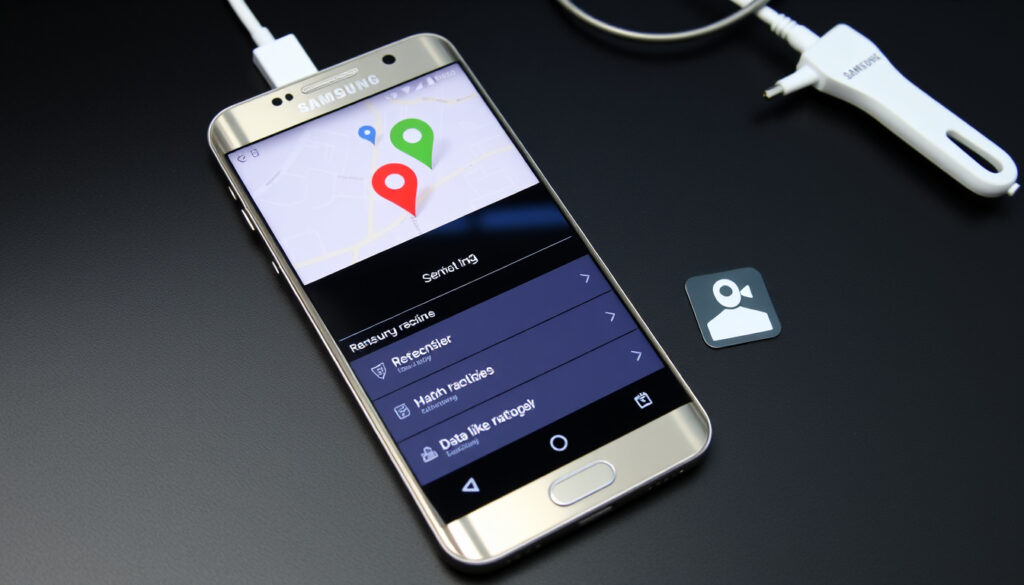
Find My Samsung Phone: Official Tools & Recovery Guide
Losing your phone sets off a familiar panic — but if you own a Samsung Galaxy, two free tools can help you find it fast. Samsung Find (formerly Find My Mobile) and Google Find My Device can ring, lock, or track a missing phone, with the Samsung service checking location every 15 minutes when activated.
Samsung devices supported All Galaxy phones, tablets, watches, and Buds with a Samsung account ·
Distance limit (standard) Bluetooth range ~10 meters; remote tracking via mobile network / Wi-Fi ·
Offline locating Supported via Samsung Find network (opt-in) for up to 7 days ·
Global users (Samsung Find) Over 1 billion active Samsung accounts ·
Actions available remotely Ring, lock, track location, back up data, erase device
Quick snapshot
- Samsung Find is available on all Galaxy phones with Android 8+ and a Samsung account (Samsung Malaysia Official (device compatibility page))
- Google Find My Device is available on all Android devices with Google Play Services (Samsung US Support (official device recovery guide))
- Samsung Find offline network uses nearby Galaxy devices to relay location via Bluetooth/BLE scanning (opt-in) (YouTube – Samsung Offline Finding Tutorial (mesh network explanation))
- Exact number of Galaxy devices needed for offline network to work in a given area (Samsung Malaysia Official (offline network description))
- Whether locating by IMEI is possible without carrier cooperation in all jurisdictions (Samsung US Support (IMEI tracking limitations))
- Whether offline finding works with Galaxy Watch when the paired phone is offline (Samsung Malaysia Official (wearable offline support))
- Location tracked every 15 minutes when SmartThings Find tracking is active (Samsung India Support (location update interval))
- Offline finding stores location for up to 7 days after last online ping (Samsung Malaysia Official (offline retention))
- Remote erase and backup actions are irreversible and immediate once triggered (Samsung US Support (remote wipe warning))
- Enable offline finding now — Settings > Biometrics and Security > Find My Mobile > toggle On (YouTube – Samsung Find My Mobile Tutorial (setup steps))
- Store your lock screen PIN on Samsung servers for remote unlock capability (YouTube – Samsung Find My Mobile Tutorial (PIN storage))
- Enable Send Last Location to automatically share final position when battery is critically low (YouTube – Samsung Find My Mobile Tutorial (last location))
Samsung owners get two layers of protection: a first-party tool that polls location every 15 minutes, and a mesh network that works even when the phone is offline. The catch — both require upfront setup and active accounts.
Six key facts about Samsung’s and Google’s device-finding tools, from account requirements to offline support:
| Feature | Details |
|---|---|
| Official Samsung Find URL | smartthingsfind.samsung.com |
| Official Google Find My Device URL | google.com/android/find |
| Free to use? | Yes, both Samsung Find and Google Find My Device are free. |
| Account needed | Samsung account for Samsung Find; Google account for Find My Device. |
| Offline support | Samsung Find: up to 7 days; Google Find My Device: last known location only. |
| Max simultaneous devices | Unlimited per account (practical limit ~20 for Samsung Find). |
How do I locate my lost Samsung phone?
Use Samsung Find (SmartThings Find)
- Go to smartthingsfind.samsung.com and sign in with your Samsung account (Samsung Malaysia Official (SmartThings Find portal)).
- From the dashboard you can ring, lock, track location, back up data, or erase your device. Location updates every 15 minutes (Samsung India Support (15-minute interval)).
- Remote controls must be enabled under Settings > Security and Privacy > Lost Device Protection (Samsung US Support (remote controls setup)).
Use Google Find My Device
- Visit google.com/android/find on any browser or the Find My Device app on another Android phone (Samsung US Support (Google tool compatibility)).
- Sign in with the same Google account used on the lost phone. Options: ring, lock, erase, or view last known location (Samsung US Support (actions available)).
- Works even if the phone is offline — shows last location recorded within the past 24 hours.
Call or text your phone
- If the phone is nearby but silent, calling or texting may help you hear it ring. For Samsung devices with Bixby, try saying “Hi Bixby, call my phone” if voice activation is on.
- This method requires no account but only works if the ringer is on and the phone is within earshot.
What this means: Samsung Find gives you live 15-minute tracking plus offline mesh relaying, while Google’s tool fills in with a simpler interface and last-known-location fallback. Using both covers the widest recovery scenario.
Samsung Find requires remote controls to be pre-enabled and a Samsung account. A phone that started fresh with only a Google account loses the offline mesh advantage — but Google’s last location still works.
How do I find my Samsung phone using another phone?
Using Samsung Find on another phone
- Install the SmartThings Find app from Galaxy Store or use any browser to log in at smartthingsfind.samsung.com (Samsung Malaysia Official (app availability)).
- Sign in with the Samsung account credentials of the lost phone — not your own. You cannot access another phone’s Samsung Find without its account.
Using Google Find My Device from a friend’s phone
- Open a browser on any phone and navigate to google.com/android/find (Samsung US Support (Google access from other devices)).
- Enter the Google account email and password of the lost phone. The tool works from any phone or computer.
Using Find Hub on another Android device
- Find Hub (Android’s built-in device locator) requires the lost phone to have enabled location sharing with the finder’s Google account beforehand.
- Open Settings > Security > Find My Device on the helping phone, then select the lost device from your Google account’s device list.
- Available actions: ring, lock, or erase the remote device.
The pattern: Cross-device recovery hinges on having the lost phone’s account credentials. If you’ve set up family sharing via Google Family Link or Samsung Family Hub, the finder can use their own account — a setup worth doing in advance.
Can you track someone’s phone on Samsung?
Family sharing and Find Hub
- Samsung Find does not allow tracking another phone without logging into that phone’s Samsung account (Samsung Malaysia Official (account requirement)).
- Find Hub (part of Android’s Find My Device) supports family sharing — after the device owner sends an invitation and the recipient accepts, both can see each other’s location.
Using Google location sharing
- Google Maps location sharing lets you share real-time location with specific contacts for a set duration (Samsung US Support (Google location sharing)).
- This is separate from Find My Device — location sharing must be turned on by the phone owner in Google Maps.
Legal and consent considerations
- Tracking someone else’s Samsung phone without their knowledge may violate privacy laws in most jurisdictions. Even within a family, explicit consent is recommended.
- Law enforcement can request IMEI-based tracking through carriers, but this requires a formal process and is not available to individuals.
The catch: You cannot silently track another Samsung phone — the service is designed around account-level access. For family tracking, opt into Google Family Link or Samsung’s shared location features with clear consent.
How do I track my lost Samsung phone if it is offline?
Samsung Find offline network
- When enabled, your Galaxy phone emits Bluetooth low-energy (BLE) signals that are picked up by nearby Galaxy devices (YouTube – Samsung Offline Finding Tutorial (mesh network explanation)).
- The network is opt-in: go to Settings > Biometrics and Security > Find My Mobile and toggle on “Offline finding” (YouTube – Samsung Find My Mobile Tutorial (offline toggle)).
- Once a nearby Galaxy device detects your phone’s BLE signal, it relays the approximate location to Samsung’s servers, and you can view it in SmartThings Find.
- Works for up to 7 days after the phone went offline (Samsung Malaysia Official (offline retention)).
Last known location
- Both Samsung Find and Google Find My Device record the last known location before the device went offline (YouTube – Samsung Find My Mobile Tutorial (last known location)).
- Enable “Send Last Location” in Samsung Find settings to automatically share the final position when battery reaches critical level.
- Google’s last location remains visible for about 24 hours after the phone goes offline.
Using IMEI or SIM card info
- IMEI tracking is not available to individuals — it requires carrier or law enforcement cooperation. The IMEI number can be found on the phone’s box or original purchase receipt.
- If the SIM card is replaced and reactivated, the carrier may be able to identify the new device. Contact your carrier’s lost‑phone department and provide the IMEI.
- No consumer‑facing tool allows IMEI‑based tracking; Samsung Find and Google Find My Device do not use IMEI.
What should you do if you lose your Samsung phone?
Immediate steps: lock and secure
- Log into smartthingsfind.samsung.com or google.com/android/find and lock the device with a custom PIN and lock screen message displaying your contact info (Samsung US Support (remote lock instructions)).
- This prevents unauthorised access and increases chances of return.
- Enable the “Track location” function to get 15‑minute updates on the phone’s position.
Remote backup and erase
- Samsung Find can back up contacts, calendar, and Samsung Cloud data before erasing (Samsung US Support (remote backup option)).
- Google Find My Device offers “Factory reset” which erases all data — use only as a last resort because it disables the ability to track the phone afterward.
- If you have Google One backup, your photos and app data are already saved in the cloud.
Contact carrier and report lost device
- Call your mobile carrier to report the device as lost. They can block the SIM card and, in some regions, blacklist the IMEI to prevent use on any network.
- File a police report if you suspect theft — many insurance providers require it for a claim.
- If you have Samsung Care+ or other device insurance, initiate a claim as soon as possible.
The trade-off: Remote erasing is the nuclear option — it protects your data but kills any chance of tracking. Lock and track first, backup second, erase only when you’ve accepted the phone is gone for good.
“Lost something? Find your Galaxy phone, tablet, watch, and other devices with SmartThings Find.”
— Samsung UK support portal (Samsung Malaysia Official (SmartThings Find description))
“Try some simple steps, like showing the location or locking the screen, to help you secure it.”
— Android Help page (Find Your Phone) (Samsung US Support (quoting Android guidance))
For Samsung owners in the US who rely on the Find network: the choice is clear — enable offline finding and remote controls today, before the panic sets in. For everyone else, Google Find My Device remains a reliable fallback, but you’ll lose the mesh‑network advantage that makes Samsung Find genuinely different.
Frequently asked questions
Is Samsung Find my phone free?
Yes, Samsung Find (SmartThings Find) is free for anyone with a Samsung account. No subscription is required. (Samsung Malaysia Official (free service))
Can I find my Samsung phone if it’s switched off?
No — both Samsung Find and Google Find My Device require the phone to be powered on and connected to a network for live tracking. However, if the phone was switched off after reporting its last location, that location remains visible for up to 7 days on Samsung Find. (Samsung Malaysia Official (offline retention))
How long does Samsung Find track location?
When you activate Track location, Samsung Find updates the location every 15 minutes. Tracking continues until you turn it off or the device goes offline. (Samsung India Support (15-minute update cycle))
Do I need a Samsung account to find my phone?
Yes, for Samsung Find you need a Samsung account signed in on the lost phone. Google Find My Device requires a Google account. (Samsung US Support (account requirement))
What is the Samsung Find website URL?
The official Samsung Find portal is smartthingsfind.samsung.com. You can also use the SmartThings Find app on another Galaxy device.
Can I use Google Find My Device on a Samsung phone?
Yes — Google Find My Device works on any Android device, including all Samsung Galaxy phones. It requires a Google account and Google Play Services. (Samsung US Support (Google tool compatibility))
How do I turn on offline locating on my Samsung phone?
Go to Settings > Biometrics and Security > Find My Mobile, then toggle on “Offline finding”. This allows your device to be detected by other Galaxy phones even when it’s not connected to the internet. (YouTube – Samsung Find My Mobile Tutorial (offline finding toggle))
Does Find my phone work without internet?
Samsung Find offline finding works without internet by using Bluetooth BLE signals picked up by other Galaxy devices. Google Find My Device shows the last known location even without internet, but cannot update it. (Samsung Malaysia Official (offline finding))
More related posts
 Raymond Ablack: Ethnicity, Parents, and Family – Biography
 Isla Moon: Career, Net Worth, Show & Real Name Explained
 Regretting You Book: Plot, Ending, and Reader Questions Answered
 Corey Taylor: Biography, Sobriety, Political Views, Slipknot
 Oleksandr Usyk: Record, Next Fight & Net Worth
 Wednesday Addams: Why Jenna Ortega Isn’t Leaving | Facts
 Bunnings Waurn Ponds – Opening Hours, Location, Phone and Services
 Marty Reisman: Real-Life Ping-Pong Hustler Behind ‘Marty Supreme’
